
//bench

Automation Development

Explore what you need to develop an automation use case yourself.

Brackets

Requirements, First

Identify what your use case is requesting.

work

User Input Fields

Most certainly your users will need to pass some input data before running an automation job. Investigate which input fields should be presented and of which type they are. Identify if the fields are required, or if there are any dependencies between them. Provide the names of the fields to display in the supported languages.

work_update

Dynamic Selections

Identify if user input selection list fields need entries loading from other sources like your SaaS application. The framework supports the late binding of these entries at run time so the list is always up to date. To improve user experience performance the binding can happen asynchonously in the background and can be cached.

apps

Configuration Fields

Find out if there is data needed to run a job which should be pre-configured as tasks by administrators. This is typically sensitive or technical data which users do not or should not know. Or it allows to parameterize your automation for separate sub-use cases. Define names and types.

format_list_numbered

Automation Flow

Break down the complete automation flow into individual, auditable actions as the smallest unit of automation management. They typically compute a modular piece of work, or execute transactional modifications on your SaaS or customer application. An action may succeed or fail and may halt the whole automation.

format_list_bulleted

Concurrency

Scaling your automation is achieved by executing actions concurrently as batches called slices by default. Check your automation flow if you need to run some actions sequentially because there may be dependencies. Keep in mind that you can configure the degree of concurrency in your task to limit resource usage.

event_note

Info, Result and Compilation Fields

Note what info and result data fields should be returned from each action when running a job. Info fields allow you to audit your actions as automation records. Result fields are used to incrementally compile a single job, result like a summary. Defines names and types.

security

Secret Fields

Understand if there are sensitive user or configuration fields which should not be stored clear as //bench automation records. Encrypting and decrypting these field values in your worker by using private keys is supported by the Framework. Cloud vault services are supported.

database

Persistence

Need to store data common for your tasks or workers? No problem, the framework API supports permanent storing and retrieving any kind of JSON data by key/value. This helps to implement caches or aggregating data for the lifetime of your automation.

Coding

How to craft an Automation Worker?

Features 01
JSON Schemas

Describe Your Fields

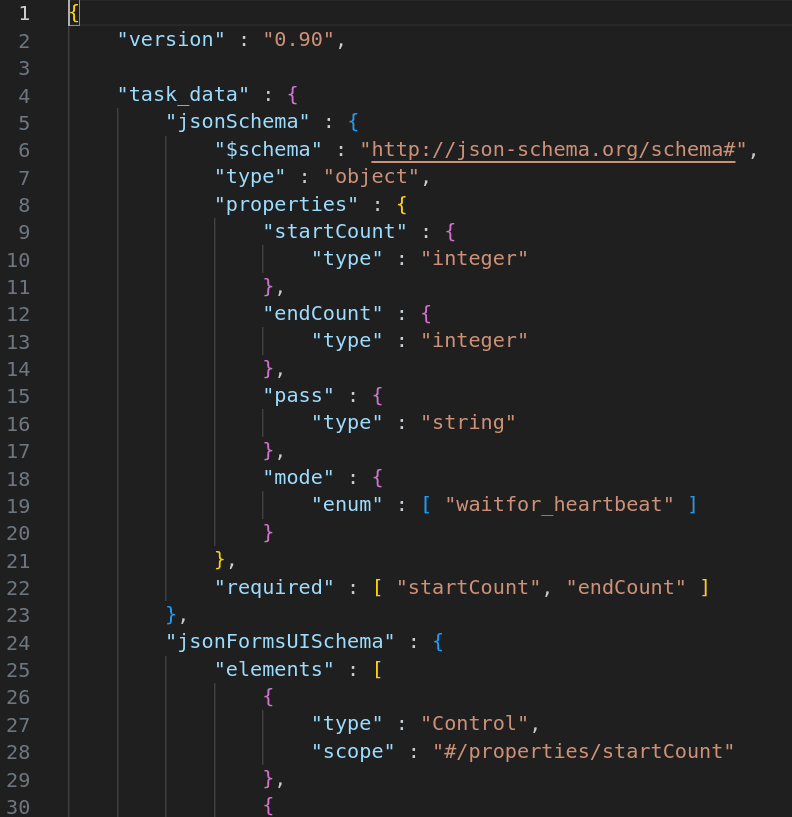
First, you need to specify all of the input and output fields of the worker in a single JSON file. This encompasses the configuration fields for the tasks as well as the user input, info, result and compile fields for the job.

The specification must follow these schemas in JSON:

  • JSON Schema to specify the types
  • JSON Forms Schema for the UI layout
  • i18n Schema to provide translations

In addition you may need to specify secret fields and late bindings for dynamic selections.

Features 02
Python Module

Use the //bench Library

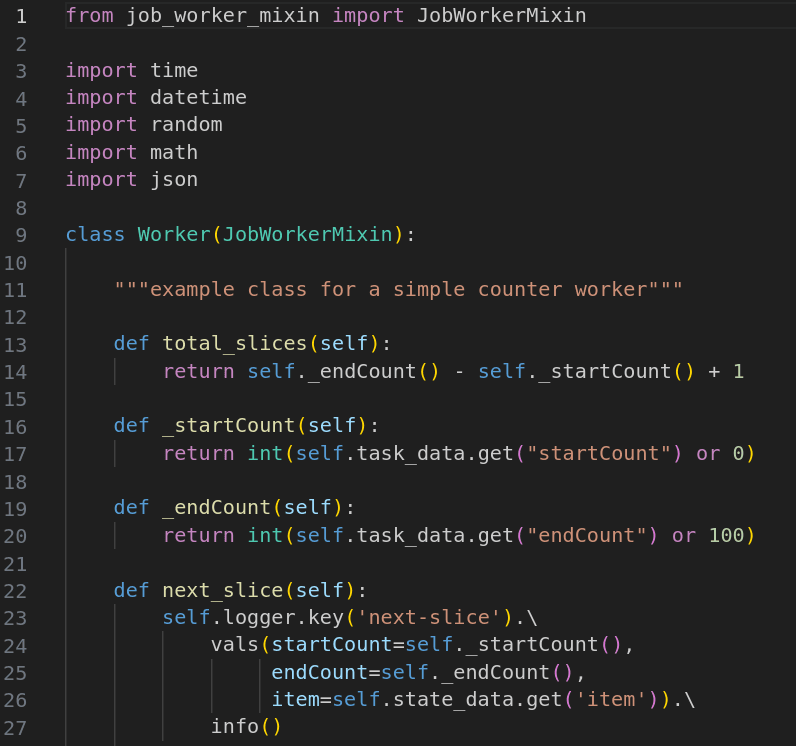
Next, you would need to program your worker module in the Python3 programming language. The worker needs to communicate with the Automation Framework by an aynchronous message API (AMQP). This API has been encapsulated in a Python library as a mixin so you can make easy use of it.

In fact you only need to fill out your initialization, slicing, action and compile methods. They cover the whole automation flow and their return values are stored as auditable automation records. To get a quick start we offer a Python template and example to get you going.

Features 03
Integration

Call your SaaS REST API

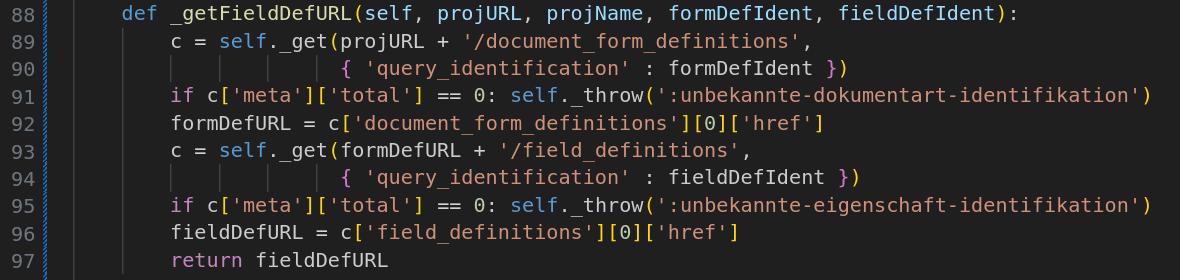
Then, to interact with your construction or third party SaaS or your customer application you would typically issue REST requests in your action methods. The //bench Library already includes the Python requests library for making calls.

If you have a Python SDK available to interact with your SaaS you may import it right away into your worker module. So you do not need to deal with the nitty-gritty REST API calls but can use appropiate abstraction methods.

Do not forget that you can make use of the huge eco system of third party Python modules to achieve your use case goals. Read on for deployment below.

Deployment

Roll out your automation to your users, either by simply pushing to a Git repository, or build and push a docker image if you are experienced.

Tabs 01

Push a Worker Script

The simplest way to deploy your automation Python code is to create a public or private Git source code repository (e.g. on github.com) where the Framework can have access to. Then push your code to the repo and configure a worker on //bench to pull this code making use of an SSH key. That's it!

This is a low-barrier approach which makes use of the generic //bench Script Worker. You do not need to have any cloud build or deployment skills, your code is run rightaway by the automation job.

Develop your own Automation Worker.

Collaborate with us to tailor the perfect automation use case for your project, maximize efficiency and elevate outcomes with the
//bench Cloud Automation Framework.
Get in Touch->